
The Ultimate Guide to Access Control & Biometric Security Systems for Modern Businesses
22 July 2026
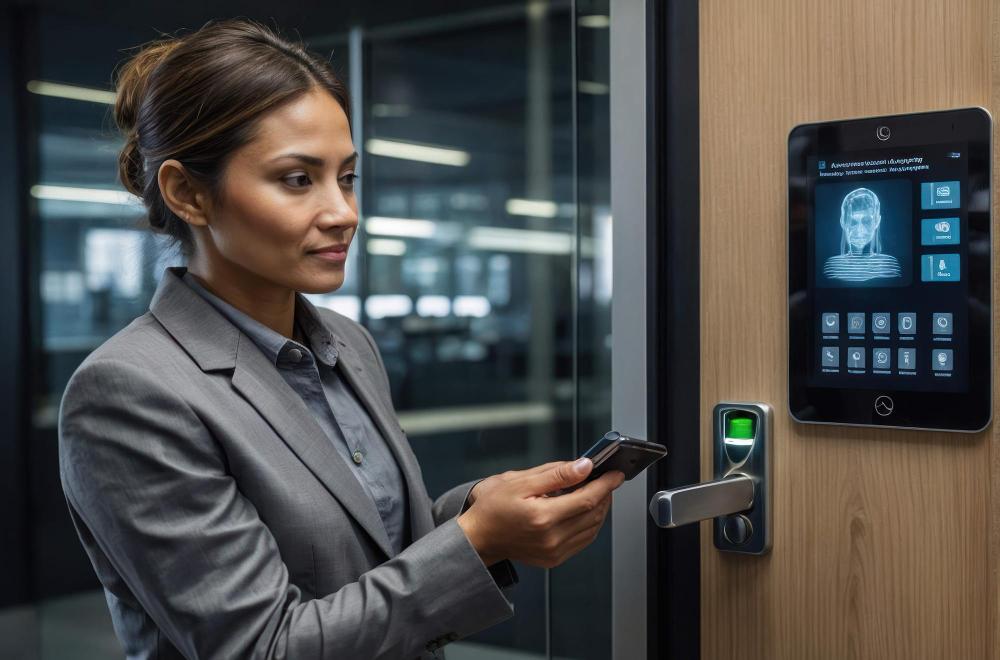
The Ultimate Guide to Access Control & Biometric Security Systems for Modern Businesses
Introduction
Security has evolved far beyond traditional locks and metal keys. In today's fast-paced business environment, organizations require intelligent solutions that not only protect assets but also streamline operations, manage employee access, and provide detailed activity records.
Modern access control systems allow businesses to determine who can enter, where they can go, and when they can access specific areas. Combined with biometric technologies such as fingerprint scanning, facial recognition, RFID cards, and mobile credentials, these systems provide a higher level of security while eliminating many of the limitations associated with conventional lock-and-key methods.
Whether you operate a corporate office, warehouse, factory, hospital, educational institution, residential complex, hotel, or data center, implementing a professional access control system helps safeguard people, information, and infrastructure.
At Sainik Digital Security, we design and install advanced access control solutions tailored to the unique requirements of each client. Our systems integrate seamlessly with CCTV surveillance, visitor management, fire safety systems, and attendance tracking, creating a comprehensive security ecosystem.
This guide explores everything you need to know about access control systems, including how they work, the different technologies available, their benefits, installation considerations, maintenance, and best practices for choosing the right solution.
What Is an Access Control System?
An access control system is a security solution that regulates entry to buildings, rooms, or restricted areas. Instead of relying on physical keys, users authenticate themselves using approved credentials such as biometric data, RFID cards, PIN codes, or mobile devices.
When a user presents a valid credential, the system verifies their identity and grants or denies access based on predefined permissions.
Unlike traditional locks, access control systems record every access event, allowing administrators to monitor movement, investigate incidents, and maintain accountability.
Why Traditional Locks Are No Longer Enough
For many years, businesses relied on mechanical locks and keys to secure their premises. While simple, these systems have several drawbacks:
Keys can be lost or stolen.
Duplicate keys can be made without authorization.
Replacing locks after a lost key is expensive.
No record of who entered or exited.
Limited control over access permissions.
Modern access control systems solve these challenges by offering centralized management, digital records, and flexible permission settings.
How Access Control Systems Work
A typical access control system consists of several interconnected components:
Credential
The user presents a credential, such as a fingerprint, RFID card, PIN, facial recognition scan, or mobile credential.
Reader
The reader scans the credential and sends the information to the controller.
Controller
The controller verifies the user's credentials against the authorized database.
Electronic Lock
If the credential is valid, the controller unlocks the door for a specified period.
Management Software
All access events are recorded and can be viewed through centralized software, allowing administrators to monitor activity, generate reports, and update permissions.
Components of an Access Control System
A complete access control solution includes:
Access control panel
Door controller
Fingerprint reader
Facial recognition terminal
RFID card reader
Keypad
Electronic lock
Magnetic lock
Exit button
Door sensors
Management software
Backup power supply
Each component plays an important role in ensuring secure and reliable operation.
Types of Access Control Systems
1. Biometric Fingerprint Access Control
Fingerprint systems authenticate users based on their unique fingerprint patterns. They are widely used because fingerprints are difficult to duplicate and eliminate the need for physical cards or keys.
Advantages
High security
Fast authentication
No lost or forgotten cards
Accurate attendance records
Easy user management
Best Applications
Offices
Factories
Schools
Hospitals
Warehouses
2. Facial Recognition Access Control
Facial recognition technology uses advanced cameras and artificial intelligence to identify individuals by analyzing facial features.
Modern systems can recognize authorized users within seconds, even while they are walking toward the entrance.
Benefits
Contactless authentication
Improved hygiene
Faster entry
Reduced queue times
High accuracy
Common Applications
Corporate headquarters
Airports
Data centers
Educational institutions
High-security facilities
3. RFID Card Access Control
RFID (Radio Frequency Identification) cards remain one of the most popular access methods due to their simplicity and affordability.
Employees simply tap or hold their card near the reader to unlock the door.
Advantages
Easy to issue
Cost-effective
Quick authentication
Suitable for large organizations
Limitations
Cards can be lost or shared, so businesses handling sensitive areas often combine RFID with PIN codes or biometrics for added security.
4. PIN Code Access
PIN-based systems require users to enter a numerical code using a keypad.
These are often used for:
Server rooms
Storage areas
Residential entrances
Temporary visitor access
To improve security, PIN codes should be changed regularly and not shared among multiple users.
5. Mobile Access Credentials
Many modern access control systems now support smartphones as digital keys.
Employees can unlock doors using:
Bluetooth
NFC
QR codes
Mobile apps
Benefits
No physical cards
Easy remote management
Instant credential updates
Improved convenience
Frequently Asked Questions (FAQs)
1. What is an access control system?
An access control system regulates who can enter specific areas of a building using credentials such as fingerprints, RFID cards, PINs, or facial recognition.
2. What is biometric authentication?
Biometric authentication identifies users based on unique physical characteristics such as fingerprints or facial features.
3. Can access control integrate with CCTV?
Yes. Access events can be linked to CCTV footage for better monitoring and incident investigation.
4. What happens during a power failure?
Most systems include backup batteries to maintain operation during short power outages.
5. Is facial recognition secure?
Modern facial recognition systems use advanced algorithms and are highly accurate when configured correctly.
6. Can visitors receive temporary access?
Yes. Visitor management systems can issue time-limited credentials.
7. What is RFID?
RFID (Radio Frequency Identification) uses radio waves to identify users through access cards or key fobs.
8. How often should systems be maintained?
Regular inspections and preventive maintenance are recommended to ensure reliable performance.
9. Can access control improve attendance management?
Yes. Biometric systems automatically record employee attendance and generate detailed reports.
10. Is cloud-based access control safe?
When implemented with strong security measures such as encryption and multi-factor authentication, cloud-based systems provide secure and convenient management.
Conclusion
Modern businesses require more than traditional locks to protect their people, assets, and sensitive information. Access control and biometric security systems provide intelligent, flexible, and scalable solutions that improve physical security while simplifying daily operations.
Whether you are managing a corporate office, warehouse, healthcare facility, educational institution, manufacturing plant, or residential complex, investing in a professional access control system helps reduce security risks, improve accountability, and create a safer environment.
At Sainik Digital Security, we combine industry expertise, advanced technology, and dependable support to deliver customized security solutions that meet your organization's unique needs.
Contact Sainik Digital Security
Looking to upgrade your building security?
Our experts can help you:
Design a customized access control system
Install biometric and RFID solutions
Integrate access control with CCTV and fire safety systems
Implement visitor management solutions
Provide ongoing maintenance and technical support
Secure every entrance. Control every access point. Build a safer workplace with Sainik Digital Security.